
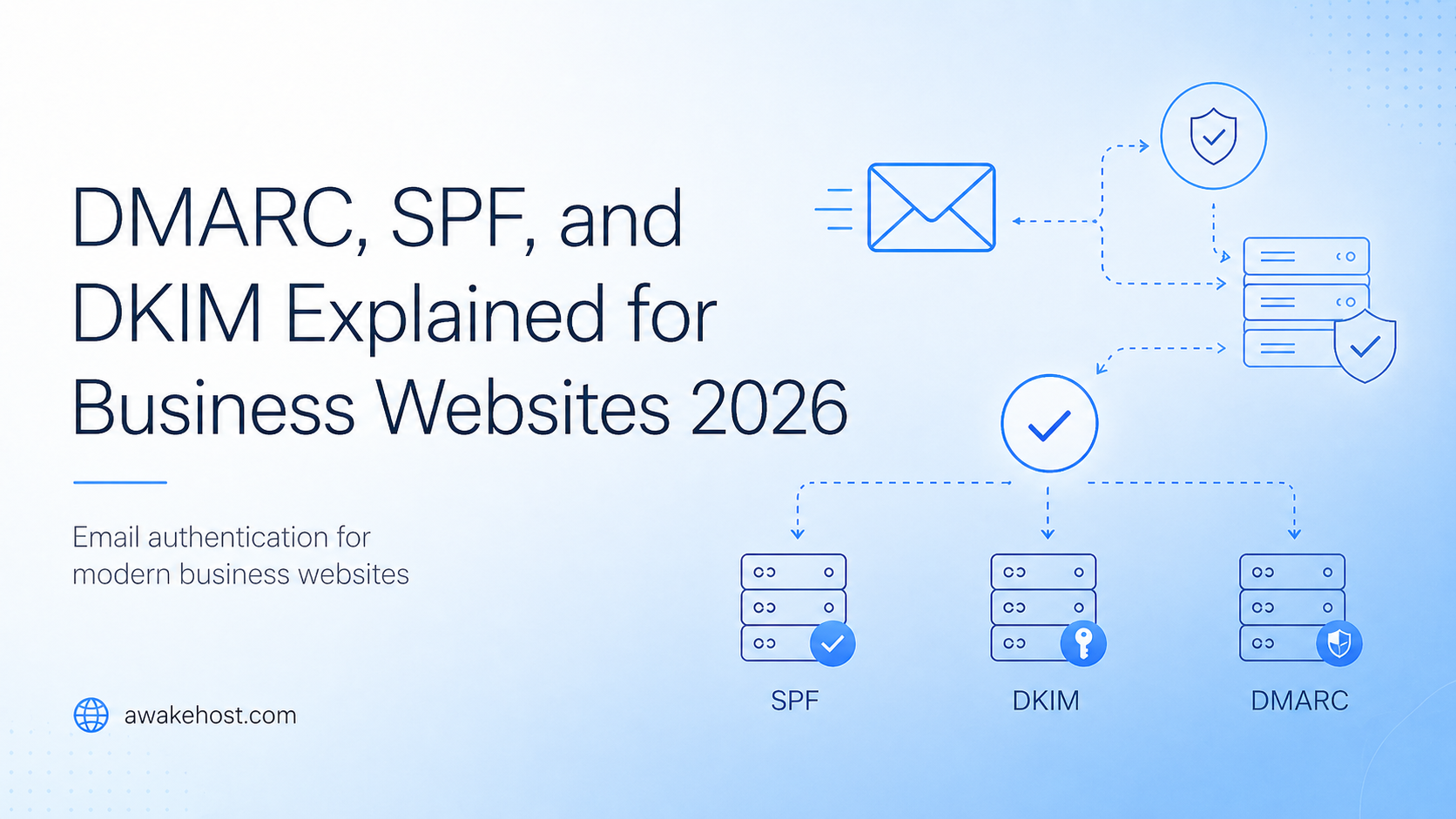




DMARC, SPF, and DKIM Explained for Business Websites in 2026
TL;DR
SPF, DKIM, and DMARC are email authentication records that help protect your business domain from spoofing, phishing, and delivery problems. They tell inbox providers whether an email claiming to come from your domain is genuine or suspicious.
SPF confirms which servers are allowed to send email for your domain. DKIM adds a digital signature to prove the message was approved and not changed. DMARC tells receiving mail servers what to do when SPF or DKIM fails.
For most business websites, the best setup is to create one clean SPF record, enable DKIM for every email-sending platform, publish DMARC with p=none, review reports, and then move to p=quarantine or p=reject after testing.
Email is one of the most important parts of a business website. It handles contact form messages, invoices, password resets, order confirmations, domain renewal notices, and support replies. When email works, nobody thinks about it. When it fails, customers miss important messages and trust drops quickly. That is why SPF, DKIM, and DMARC matter. These three email authentication records help prove that emails sent from your business domain are genuine. They also make it harder for scammers to send fake emails using your domain name.
In 2026, email authentication is not just a setting for large companies. It belongs on every serious business website checklist, especially if your site uses WordPress, WooCommerce, WHMCS, contact forms, CRM tools, newsletters, or transactional email services.
Quick Answer: What Do SPF, DKIM, and DMARC Do?
- SPF checks whether the sending server is allowed to send email for your domain.
- DKIM checks whether the email was signed by an approved sender and was not changed after being sent.
- DMARC checks whether SPF or DKIM aligns with the visible sender domain, then tells the receiving mail server what to do if the email fails.
For a business website, these records help with three practical things:
- Protecting your domain from direct spoofing
- Helping legitimate emails reach inboxes more reliably
- Giving you visibility into who is sending email using your domain
Why Business Websites Need Email Authentication in 2026
There is a common misconception among business owners that email authentication is strictly an “email marketing” problem. It is easy to assume that if you aren’t sending out weekly newsletters or bulk promotional blasts, you don’t need to worry about configuring DNS records.
However, this is a costly oversight. Long before you ever design a marketing campaign, your website’s underlying infrastructure is quietly acting as an active email sender. Modern content management systems, billing portals, and web servers rely heavily on automated “transactional” emails to keep your daily operations running smoothly and your clients informed.
Even if you never manually hit “send” on a promotional message, your domain is likely generating critical, time-sensitive communications around the clock. If these automated emails lack proper authentication, they are highly likely to trigger spam filters or be rejected outright by major inbox providers. These essential daily messages include:
- Contact form notifications
- Quote requests
- WordPress admin emails
- WooCommerce order confirmations
- WHMCS invoices and payment reminders
- Password reset emails
- Account verification messages
- Domain renewal notices
- Support ticket replies
- CRM and lead follow-up emails
If these emails are not authenticated, inbox providers may treat them as suspicious. Some may go to spam. Some may be delayed. Some may fail completely. The bigger risk is impersonation. A scammer may try to send email that appears to come from your domain, such as:
billing@yourbusiness.com
support@yourbusiness.com
security@yourbusiness.com
To a customer, those addresses can look real. SPF, DKIM, and DMARC help receiving mail servers separate your genuine messages from fake ones.
If you are building or maintaining a business website, this should sit alongside your hosting, SSL, backup, malware protection, and DNS setup. For example, when using business website hosting, WordPress hosting, or VPS hosting for developers, your domain’s email records should be checked before the site goes live.
SPF Explained
SPF stands for Sender Policy Framework. It is a DNS TXT record that lists the servers allowed to send email for your domain. Mail providers use it to check whether a message came from an approved sending source.
Think of SPF as a sender approval list. If your business uses Google Workspace, Microsoft 365, Zoho Mail, SendGrid, Mailchimp, Brevo, WHMCS, or a website SMTP plugin, those services may need to be included in your SPF record.
SPF Record Example
v=spf1 include:_spf.google.com ~allThis example tells receiving mail servers that Google is allowed to send email for the domain.
A business using more than one email platform may have a record like this:
v=spf1 include:_spf.google.com include:sendgrid.net include:spf.protection.outlook.com ~allDo not copy that record unless those are the exact services your business uses. Your SPF record should include only real senders.
What SPF Helps Protect Against
SPF helps prevent unauthorized servers from sending email as your domain. If someone tries to send fake mail from an unapproved server, receiving mail systems can check SPF and see that the server is not listed.
SPF is useful for:
- Business mailbox providers
- Website contact forms
- Transactional email platforms
- Billing systems
- Helpdesk tools
- CRM platforms
- Newsletter services
- Ecommerce receipts
Common SPF Mistakes
Using More Than One SPF Record
A domain should normally have one SPF TXT record only.
Wrong:
v=spf1 include:_spf.google.com ~all
v=spf1 include:sendgrid.net ~all
Better:
v=spf1 include:_spf.google.com include:sendgrid.net ~allForgetting Third-Party Senders
Your main mailbox may be Google Workspace or Microsoft 365, but your website, CRM, newsletter tool, WHMCS, WooCommerce, or helpdesk may also send email from the same domain.
Leaving Old Senders in the Record
If you no longer use a sender, remove it. Old services make the record harder to manage and may create unnecessary risk.
Making SPF Too Long
SPF has a DNS lookup limit. If you keep adding services without cleanup, the record can fail even when it looks correct.
DKIM Explained
DKIM stands for DomainKeys Identified Mail.
DKIM adds a digital signature to your outgoing emails. That signature helps receiving mail servers confirm that the email was approved by the domain owner and was not changed after it was sent.
SPF checks the sending server. DKIM checks the message signature.
DKIM Record Example
A DKIM DNS record usually uses a selector, such as:
google._domainkey.yourdomain.comThe value often contains a long public key:
v=DKIM1; k=rsa; p=YOUR_PUBLIC_KEY_HEREYou usually do not create this key yourself. Your email provider gives you the exact DKIM record to add in DNS.
What DKIM Helps Protect Against
DKIM helps protect message integrity. It gives receiving mail servers a way to check that the email still matches the version signed by the sender.
This matters for:
- Invoices
- Password resets
- Order confirmations
- Support replies
- Newsletter campaigns
- Account notices
- Domain renewal reminders
- Security alerts
Common DKIM Mistakes
Enabling DKIM for Only One Platform
A business may enable DKIM for Google Workspace but forget Mailchimp, Brevo, SendGrid, WHMCS, WooCommerce SMTP, or its helpdesk system.
That creates mixed results. Some emails are signed properly. Others are not.
Not Updating DKIM After Changing Providers
If you move from one email provider to another, DKIM should be part of the migration checklist. Old records may stay in DNS, while the new sending service may not be verified yet.
Relying on Default Website Mail
Default PHP mail can be unreliable. WordPress, WHMCS, and custom websites usually perform better with authenticated SMTP or a transactional email provider.
DMARC Explained
DMARC stands for Domain-based Message Authentication, Reporting, and Conformance.
DMARC works on top of SPF and DKIM. It tells receiving mail servers what to do when an email claiming to come from your domain fails authentication.
A DMARC record is added as a DNS TXT record at:
_dmarc.yourdomain.comDMARC Record Example
v=DMARC1; p=none; rua=mailto:dmarc-reports@yourdomain.comThis means:
- v=DMARC1 identifies the record as DMARC.
- p=none tells receivers to monitor only.
- rua= tells providers where to send aggregate reports.
For official background, Google explains email sender authentication in its email sender guidelines, Yahoo publishes sender guidance in its Sender Hub, and the IETF maintains the current DMARCbis draft.
DMARC Policy Types
DMARC has three common policy levels:
p=none
p=quarantine
p=reject
p=none
This is monitoring mode. It does not block failing emails. It lets you collect reports and see which services are sending mail using your domain.
Most businesses should start with p=none.
p=quarantine
This tells receiving mail servers to treat failing emails as suspicious. In many cases, those emails may go to spam or junk.
Move to p=quarantine only after your real senders are passing authentication.
p=reject
This is the strongest common policy. It tells receiving servers to reject emails that fail DMARC.
This is useful for brand protection, but it should not be enabled too early. If your own email systems are incomplete, legitimate messages may be blocked.
SPF vs DKIM vs DMARC
| Record | What It Checks | Main Purpose | DNS Type |
|---|---|---|---|
| SPF | Sending server | Allows approved servers to send email for your domain | TXT |
| DKIM | Message signature | Confirms the email was signed and not changed | TXT or CNAME |
| DMARC | SPF and DKIM alignment | Tells receivers what to do with failed emails | TXT |
A simple way to remember it:
- SPF checks where the email came from.
- DKIM checks whether the email was signed.
- DMARC checks whether SPF or DKIM matches your visible sender domain, then applies your chosen policy.
What Is DMARC Alignment?
DMARC alignment is the part many businesses miss.
An email can pass SPF or DKIM but still fail DMARC if the authenticated domain does not match the visible “From” domain.
Example:
From: billing@yourbusiness.com
Return-Path: bounce@thirdpartyservice.com
DKIM-Signature: d=thirdpartyservice.com
In this example, the third-party service may pass SPF or DKIM for its own domain. But the visible sender is your business domain.
For DMARC to pass, either SPF or DKIM must pass with a domain that aligns with the visible From domain.
The goal is not simply to “add SPF” or “turn on DKIM.” The goal is to make sure your email platforms, signatures, and visible sender domain match correctly.
Do Small Business Websites Need DMARC?
Yes. A small business may not send thousands of emails per day, but it still sends important messages.
A local service business sends quotes and contact replies. An ecommerce store sends order confirmations. A hosting company sends invoices and server alerts. A consultant sends proposals and onboarding emails. A SaaS project sends password resets and account notices.
If those emails fail, customers lose trust.
If a fake email uses your domain, your reputation takes the damage.
DMARC is not only for enterprise security teams. It is a practical domain protection layer for any serious business website.
Recommended SPF, DKIM, and DMARC Setup for 2026
Step 1: List Every Service That Sends Email
Before changing DNS, write down every platform that sends email for your domain.
- Google Workspace
- Microsoft 365
- Zoho Mail
- cPanel email
- Website contact forms
- WordPress SMTP plugin
- WooCommerce
- WHMCS
- Mailchimp
- Brevo
- SendGrid
- Helpdesk software
- CRM tools
- Billing platforms
- Booking systems
Step 2: Create One Clean SPF Record
Add every real sender to one SPF record.
v=spf1 include:_spf.google.com include:sendgrid.net ~allUse only the services your business actually uses.
Step 3: Enable DKIM for Every Platform
Go into each sending platform and enable DKIM. Add the DNS records they provide.
Do this for your mailbox provider, newsletter service, transactional email provider, helpdesk, billing system, and website email service.
Step 4: Add DMARC in Monitoring Mode
v=DMARC1; p=none; rua=mailto:dmarc-reports@yourdomain.comThis lets you monitor email activity without blocking messages.
Step 5: Review DMARC Reports
DMARC reports show which servers and platforms are sending email using your domain. Raw reports are usually XML files, so most businesses use a DMARC report tool to read them clearly.
Step 6: Move to Quarantine
After your real senders are passing, move to:
v=DMARC1; p=quarantine; rua=mailto:dmarc-reports@yourdomain.comStep 7: Move to Reject
When all legitimate senders are aligned, move to:
v=DMARC1; p=reject; rua=mailto:dmarc-reports@yourdomain.comThis gives stronger protection against direct domain spoofing.
Example DNS Records
These examples are for explanation only. Your provider may give you different values.
SPF Example
Type: TXT
Name: @
Value: v=spf1 include:_spf.google.com include:sendgrid.net ~all
DKIM Example
Type: TXT
Name: google._domainkey
Value: v=DKIM1; k=rsa; p=YOUR_PUBLIC_KEY_HERE
DMARC Monitoring Example
Type: TXT
Name: _dmarc
Value: v=DMARC1; p=none; rua=mailto:dmarc-reports@yourdomain.com
Strong DMARC Example
Type: TXT
Name: _dmarc
Value: v=DMARC1; p=reject; rua=mailto:dmarc-reports@yourdomain.com
Do not move straight to p=reject before testing your real email flow.
WordPress Business Website Example
Suppose your business runs on WordPress.
You may use:
- Google Workspace for team email
- A contact form plugin
- WooCommerce for orders
- Mailchimp for newsletters
- A helpdesk for support replies
- A transactional SMTP service for website emails
In this case, Google Workspace is not your only sender.
Your setup may need:
- SPF for Google and your SMTP provider
- DKIM for Google Workspace
- DKIM for Mailchimp
- DKIM for the transactional email service
- DMARC for reporting and enforcement
If you only configure Google Workspace, your normal mailbox may work, but WordPress form emails and WooCommerce messages may still fail authentication.
For WordPress sites, use a proper SMTP plugin and reliable WordPress hosting instead of relying on default PHP mail.
WHMCS and Hosting Business Example
For hosting companies, email authentication is critical.
WHMCS may send:
- Order confirmations
- Invoice reminders
- Payment receipts
- Service activation emails
- Domain renewal notices
- Suspension warnings
- Support ticket replies
- Password reset emails
- Account verification messages
If these emails land in spam, customers may miss payments, support replies, or renewal notices.
A WHMCS-based hosting business should avoid relying on default PHP mail. Use authenticated SMTP or a transactional email provider, then configure SPF, DKIM, and DMARC properly.
If you run hosting, SaaS, or developer projects, pair your email setup with stable infrastructure such as VPS hosting for developers.
How DMARC Helps Stop Email Spoofing
Email spoofing means someone sends a message that appears to come from your domain.
Examples:
support@yourbusiness.com
billing@yourbusiness.com
security@yourbusiness.com
To a customer, those addresses may look real.
DMARC helps by telling receiving servers what to do when messages fail authentication and alignment. With a strong p=reject policy, receivers are instructed to reject emails that fail DMARC.
This does not stop every phishing attack. A scammer can still register lookalike domains such as:
yourbuslness.com
yourbusiness-support.com
yourbusiness.co
But DMARC protects your real domain from direct abuse. That is a major step for brand protection.
Does DMARC Improve Email Deliverability?
Yes, but it is not the only factor.
SPF, DKIM, and DMARC help inbox providers trust your domain. They can reduce rejection risk and support better inbox placement.
Email deliverability also depends on:
- Spam complaints
- Bounce rate
- List quality
- Sending consistency
- Message content
- Unsubscribe handling
- IP reputation
- Domain reputation
- Reverse DNS
- TLS
- Clean formatting
SPF, DKIM, and DMARC do not guarantee inbox placement by themselves. But without them, your domain starts with a trust problem.
Mistake vs Fix: Quick Troubleshooting Table
| Problem | Why It Happens | Best Fix |
|---|---|---|
| Emails go to spam | Missing SPF, DKIM, DMARC, poor reputation, or bad sending habits | Authenticate the domain, use SMTP, check spam complaints, and review DMARC reports |
| SPF fails | The sending server is not listed or the SPF record is too complex | Use one clean SPF record and include only real senders |
| DKIM fails | The sender is not signing messages or DNS records are wrong | Enable DKIM inside each email platform and copy the DNS record exactly |
| DMARC fails | SPF or DKIM passes for another domain, but not the visible From domain | Fix domain alignment for your sending platforms |
| Real emails get blocked | DMARC was moved to reject before all senders were verified | Return to p=none, review reports, fix senders, then tighten slowly |
| Contact form emails fail | The website is using default PHP mail or an unauthenticated sender | Use authenticated SMTP or a transactional email provider |
DMARCbis: What Business Owners Should Know
DMARC is being updated through standards work often called DMARCbis. For business owners, the practical point is simple: DMARC remains important, and the standard is being refined.
You do not need to rebuild your email setup because of this. Focus on the basics that still matter:
- Use one clean SPF record.
- Enable DKIM for every sender.
- Publish DMARC.
- Start with monitoring.
- Move toward quarantine or reject after testing.
- Keep DNS records clean.
- Review reports regularly.
Business Website Email Authentication Checklist
- List every platform that sends email for your domain.
- Add only real senders to your SPF record.
- Keep one SPF TXT record.
- Enable DKIM for your mailbox provider.
- Enable DKIM for newsletters and transactional email.
- Use authenticated SMTP for WordPress, WooCommerce, WHMCS, and website forms.
- Add DMARC with p=none.
- Review DMARC reports.
- Fix failed legitimate senders.
- Move to p=quarantine.
- Move to p=reject only after testing.
- Remove old email services from DNS.
- Check subdomains that send mail.
- Monitor spam complaints and bounce rates.
Best Setup by Business Type
| Business Type | Recommended Starting Point |
|---|---|
| Local business website | SPF + DKIM + DMARC with p=none |
| WordPress website | SMTP + SPF + DKIM + DMARC monitoring |
| WooCommerce store | Authenticate mailbox, SMTP, ecommerce, and marketing tools |
| SaaS website | Separate transactional and marketing email senders |
| Hosting business | Authenticate WHMCS, support, billing, and notification emails |
| Agency website | Authenticate forms, CRM, newsletters, and team mailboxes |
Helpful Official Resources
FAQs
What is the difference between SPF, DKIM, and DMARC?
SPF checks whether the sending server is allowed to send email for your domain. DKIM checks whether the message was signed and unchanged. DMARC checks whether SPF or DKIM aligns with your domain and tells receivers what to do when authentication fails.
Do I need SPF, DKIM, and DMARC?
Yes. A business domain should use all three. SPF and DKIM authenticate your emails, while DMARC gives receivers a policy for failed emails and helps protect your domain from spoofing.
Is DMARC required in 2026?
For bulk senders, major mailbox providers require DMARC as part of sender authentication rules. Smaller businesses should still use DMARC because it protects the domain and improves trust signals.
Should I start with p=none or p=reject?
Start with p=none. This lets you monitor without blocking real emails. Move to p=quarantine or p=reject after your legitimate senders are passing.
Can SPF, DKIM, and DMARC stop all phishing?
No. They help stop direct spoofing of your real domain. They do not stop lookalike domains. You still need domain monitoring, staff awareness, and good security practices.
Where do I add SPF, DKIM, and DMARC records?
You add them in your domain DNS zone. SPF and DMARC are usually TXT records. DKIM may be TXT or CNAME depending on the email provider.
Why are my emails still going to spam after adding these records?
Authentication is only one part of deliverability. Spam complaints, bounce rate, message quality, list hygiene, sending volume, sending consistency, and domain reputation also matter.
Final Thoughts
SPF, DKIM, and DMARC protect the trust behind your business domain.
If your website sends invoices, order emails, password resets, support replies, contact form messages, or account alerts, email authentication should be part of your setup.
Start with one clean SPF record. Enable DKIM for every sender. Publish DMARC with p=none. Check reports. Fix real senders. Then move toward p=quarantine or p=reject.
A trusted domain is easier to protect, easier to deliver from, and harder to impersonate. For a business website in 2026, that matters.
