Static IP vs Dynamic IP: Which One Do You Need for Hosting?
Every device connected to the internet uses an IP address. Your website, VPS, home router, office network, email server, and game server all depend on IP addresses to send and receive data. But not every IP address works the same way.
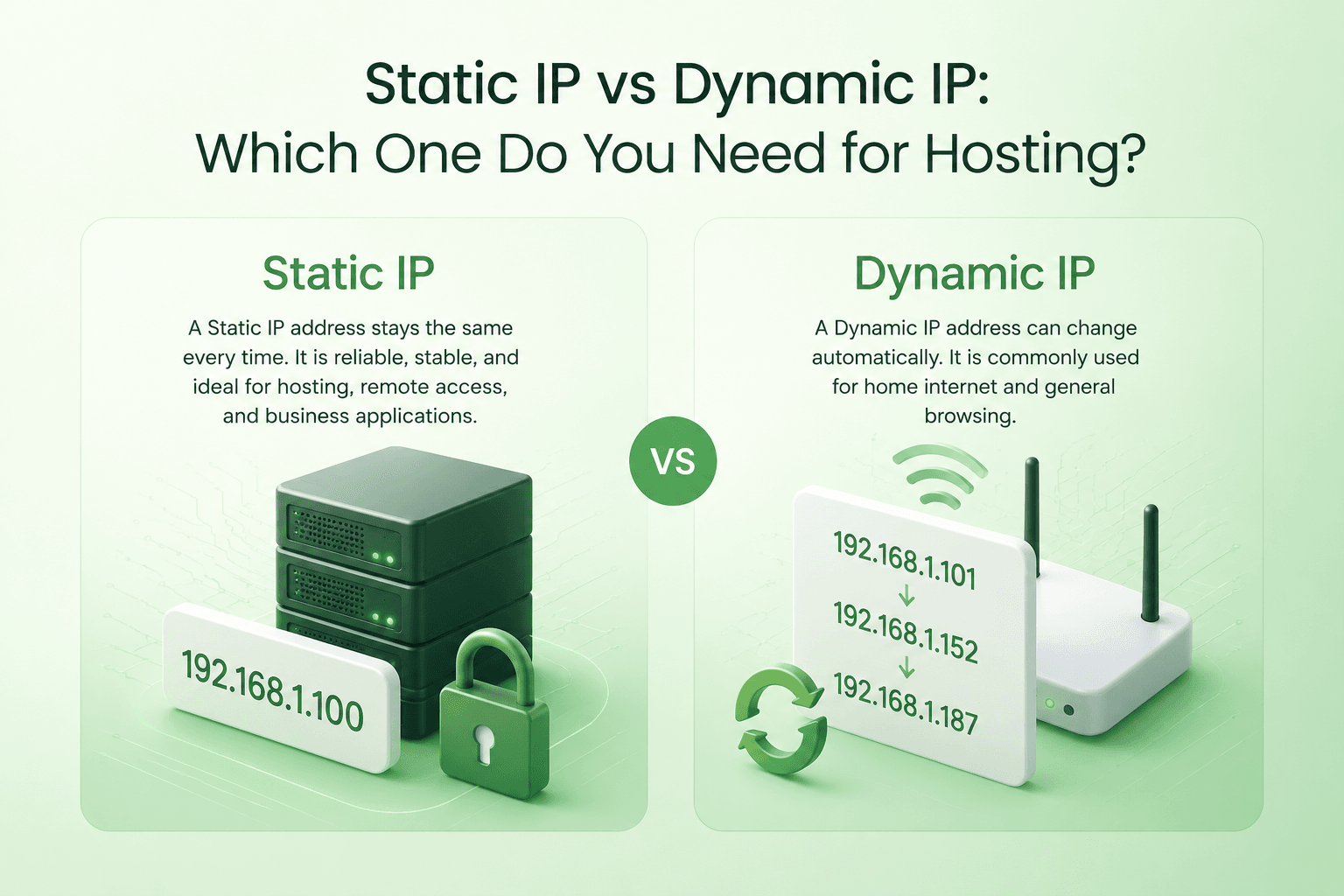
The two common types are static IP addresses and dynamic IP addresses. A static IP stays the same over time, while a dynamic IP can change automatically. For normal home internet use, a dynamic IP is usually enough. For hosting, servers, email, VPNs, remote access, and business systems, a static IP is often the better choice.
In this guide, we will explain static IP vs dynamic IP in simple terms, how both work, their pros and cons, and which one you should use for web hosting, VPS hosting, WordPress, email, gaming servers, and business use.
TL;DR
A static IP address is an IP address that stays the same. It is commonly used for VPS hosting, dedicated servers, business websites, email servers, VPNs, game servers, remote access, and firewall whitelisting.
A dynamic IP address is an IP address that can change automatically. It is commonly used by home internet users because it is easier for internet service providers to manage and is usually cheaper.
For hosting, a static IP is usually better because it provides stable DNS records, reliable server access, easier remote connections, and better control over email, security, and applications. For normal browsing, streaming, and personal internet use, a dynamic IP is usually fine.
What Is an IP Address?
An IP address is a unique address used to identify a device or server on a network. It works like a digital location. When someone visits a website, sends an email, connects to a VPS, or opens an app, IP addresses help route the traffic to the correct destination.
For example, when you type a domain name into your browser, DNS helps translate that domain into an IP address. The browser then connects to the server using that IP address.
Without IP addresses, devices and servers would not know where to send or receive internet traffic.
What Is a Static IP Address?
A static IP address is an IP address that does not change automatically. Once it is assigned to a device, server, or hosting account, it normally stays the same unless it is manually changed by the provider or administrator.
Static IP addresses are commonly used for servers because servers need to be reachable at a consistent address. If a website, VPS, email server, VPN, or game server changes IP frequently, users and services may have trouble connecting to it.
For example, if your VPS has a static IP address, you can point your domain’s DNS records to that IP and keep using it reliably. You can also connect to the server through SSH using the same IP address every time.
Static IP example:
203.0.113.25If this IP is static, it remains assigned to your server until you change your server, provider, or IP configuration.
What Is a Dynamic IP Address?
A dynamic IP address is an IP address that can change automatically. It is usually assigned by an internet service provider using DHCP, which means the provider can assign available IP addresses from a pool whenever devices connect to the network.
Dynamic IP addresses are common for home internet connections. Your router may use one IP today and receive a different one later after a restart, network refresh, lease expiration, or provider-side change.
For normal users, this is usually not a problem. Browsing websites, watching videos, using social media, sending messages, and downloading files do not usually require a permanent IP address.
Dynamic IP example:
198.51.100.42This IP may work today, but your internet provider may assign a different IP later.
Static IP vs Dynamic IP: Quick Comparison
The main difference is stability. A static IP stays fixed, while a dynamic IP can change. This simple difference affects hosting, remote access, DNS, email, security, and business systems.
| Feature | Static IP | Dynamic IP |
|---|---|---|
| Does the IP change? | No, it usually stays the same | Yes, it can change automatically |
| Best for hosting | Yes | Not ideal |
| Best for home internet | Usually not needed | Yes |
| DNS stability | Strong | Weak if the IP changes |
| Remote access | Easier | Harder unless using Dynamic DNS |
| Email hosting | Better for consistency | Not recommended |
| Cost | May cost more | Usually included by default |
| Security requirement | Needs proper protection | Still needs protection, but less server-focused |
How Static IP Addresses Work
A static IP address is manually or permanently assigned to a server, hosting account, router, or business network. Because the address remains the same, other systems can depend on it.
For hosting, this is important because DNS records often point a domain name to a server IP. If the server IP keeps changing, the domain may stop resolving correctly until DNS records are updated.
Static IPs are also useful for firewall rules. For example, a company may allow access to an admin panel, database, payment gateway, or internal system only from specific IP addresses. This is called IP whitelisting. A static IP makes this easier because the allowed IP does not keep changing.
How Dynamic IP Addresses Work
A dynamic IP address is assigned automatically from a pool of available IPs. Internet service providers commonly use this system for residential users because it is easier to manage and more efficient.
When your router connects to your ISP, it receives an IP address for a period of time. That assignment may stay the same for days, weeks, or even longer, but it is not guaranteed to remain permanent.
This works well for normal internet users because most people do not need outside users to connect directly to their home network. But it becomes a problem when you want to host a server, run an email system, or allow remote users to connect to your network reliably.
Do You Need a Static IP for Web Hosting?
For most serious hosting use cases, a static IP is recommended. Websites need stable DNS records. If your domain points to an IP address and that IP changes, visitors may not reach your website correctly.
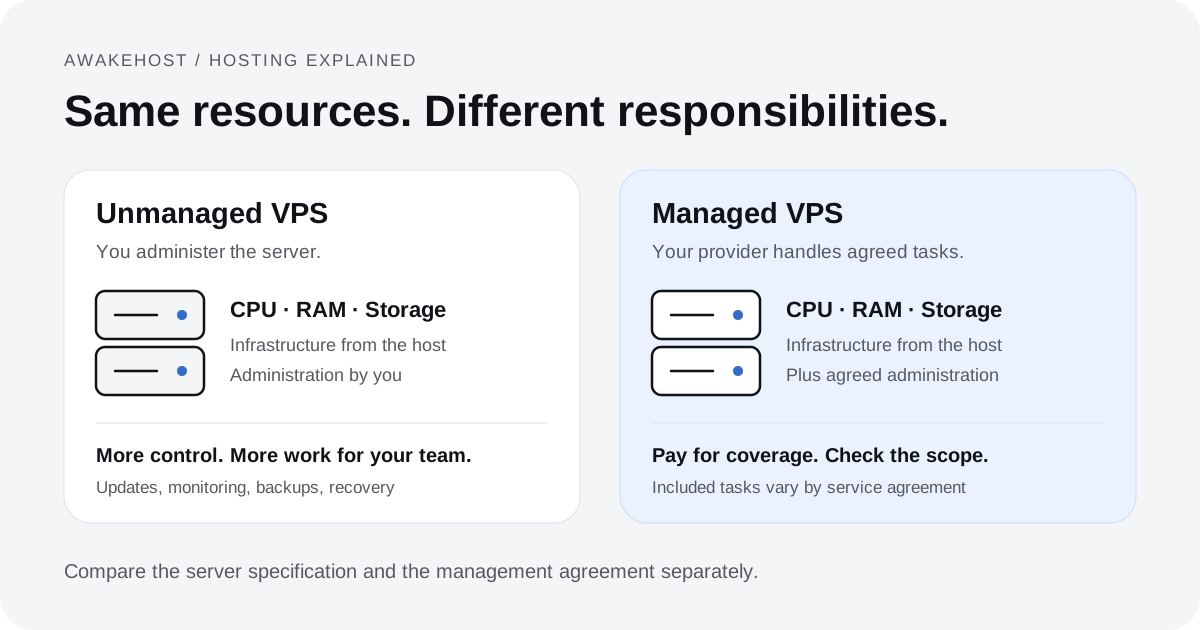
In shared hosting, many websites may use the same server IP. In VPS hosting, your server usually comes with its own IP address, and that IP is typically static. This makes it easier to point domains, configure DNS, access the server, and manage hosting services.
However, a dedicated static IP is not always required for every website. Many shared hosting websites can work properly on a shared IP, especially because modern SSL can work through SNI. But for VPS hosting, email hosting, custom applications, control panels, and advanced server setups, having a stable static IP is important.
Static IP for VPS Hosting: Why It Matters
VPS hosting usually comes with a static IP address because a VPS is designed to work like an independent online server. Users need a stable address to connect to it, manage it, and point domains to it.
If your VPS IP changed frequently, many things could break. Your DNS records would need updates, SSH access could become confusing, firewall rules may fail, email records may become unreliable, and users may not be able to reach your hosted services consistently.
A static IP is useful for VPS hosting because it supports:
- Stable server access through SSH
- Reliable DNS records for websites and applications
- Email hosting and mail server configuration
- Control panels such as cPanel, CyberPanel, Plesk, or DirectAdmin
- Firewall rules and IP whitelisting
- Game servers and custom applications
- VPN access and remote administration
- API integrations that require a fixed server IP
Static IP vs Dedicated IP: Are They the Same?
Static IP and dedicated IP are related, but they do not mean exactly the same thing.
A static IP means the IP address does not change. A dedicated IP means the IP address is assigned only to you or your service, instead of being shared with other users.
In hosting, a dedicated IP is usually static, but the terms describe different things. Static is about whether the IP changes. Dedicated is about whether the IP is shared.
| Term | Meaning | Hosting Example |
|---|---|---|
| Static IP | The IP address stays the same | A VPS keeps the same IP over time |
| Dynamic IP | The IP address can change | A home internet IP changes automatically |
| Dedicated IP | The IP is assigned only to one user or service | A VPS has an IP used only by that server |
| Shared IP | The IP is used by multiple websites or users | Many shared hosting websites use one server IP |
Advantages of Static IP Addresses
Static IP addresses are useful when stability and direct access matter. This is why they are common in hosting, business networks, remote work, email systems, and server environments.
1. Stable DNS Records
When your IP address stays the same, your domain DNS records can remain stable. This is important for websites, applications, email servers, and control panels.
2. Better for Servers
Servers need to be reachable consistently. A static IP makes it easier for users, administrators, and applications to connect to the same server address every time.
3. Easier Remote Access
If you need to access a server, office network, VPN, camera system, or internal application remotely, a static IP makes the connection more reliable.
4. Useful for Email Hosting
Email hosting depends heavily on reputation, DNS records, reverse DNS, SPF, DKIM, and DMARC. A static IP gives you more consistency than a changing IP address.
5. Better Firewall Control
Businesses often allow access to sensitive systems only from approved IP addresses. A static IP makes firewall whitelisting easier and more reliable.
Disadvantages of Static IP Addresses
Static IP addresses are useful, but they are not perfect. They need proper security, correct configuration, and responsible management.
1. May Cost More
Some internet providers and hosting companies charge extra for static or additional IP addresses. With VPS hosting, one static IP is often included, but extra IPs may cost more.
2. Easier to Track
Because a static IP does not change, it can be easier to associate traffic or activity with the same server or network over time.
3. Needs Strong Security
A static IP gives attackers a consistent target if your server is exposed. This does not mean static IPs are unsafe, but it does mean your server should be properly secured.
4. IP Reputation Matters
If a static IP is used for spam, abuse, or poor email practices, its reputation can suffer. This is especially important for email hosting.
Advantages of Dynamic IP Addresses
Dynamic IP addresses are simple, common, and practical for everyday internet use. Most home users do not need a permanent public IP address.
1. Usually Cheaper
Dynamic IPs are usually included with normal residential internet plans and do not require extra configuration.
2. Easier for ISPs to Manage
Internet providers can efficiently assign IP addresses from a pool instead of permanently reserving one for every customer.
3. Good for Normal Internet Use
Browsing, streaming, gaming as a player, messaging, and downloading files usually work fine with a dynamic IP.
4. Less Responsibility for Server Management
Since dynamic IPs are not usually used for public servers, normal users do not need to manage DNS stability, reverse DNS, or server-level reputation.
Limitations of Dynamic IP Addresses
The main problem with dynamic IPs is that they can change. This creates issues when other users, devices, or services need to connect to your address reliably.
Dynamic IPs are not ideal for:
- Hosting websites from home
- Running public servers
- Hosting email servers
- Remote access without Dynamic DNS
- Firewall whitelisting
- Business VPN connections
- Game servers that need a stable address
- DNS records that point to a fixed server
Can You Host a Website on a Dynamic IP?
Technically, yes, you can host a website on a dynamic IP. But it is not recommended for serious websites or business hosting.
The biggest issue is DNS stability. If your IP changes, your domain may still point to the old IP address. Visitors may not reach your website until the DNS record is updated. You can use Dynamic DNS to reduce this problem, but it is still not as reliable as using a proper VPS or hosting service.
Home hosting also has other problems. Your internet connection may not be designed for server traffic. Your ISP may block certain ports. Your upload speed may be limited. Your computer or router may go offline. Security also becomes your responsibility.
For learning, home hosting can be an experiment. For a live website, a VPS or web hosting plan is a better choice.
Static IP and Email Deliverability
Email hosting is one area where IP stability matters. A mail server should have consistent DNS records, proper reverse DNS, SPF, DKIM, and DMARC configuration. A static IP makes this setup more reliable.
However, a static IP alone does not guarantee better email deliverability. Email deliverability also depends on IP reputation, domain reputation, correct DNS records, content quality, sending behavior, and whether the IP is listed on any blacklists.
If you are serious about email hosting, avoid using a changing home internet IP. A properly configured server with a stable IP is much better for professional email systems.
Static IP vs Dynamic IP for WordPress Websites
Most WordPress websites do not need users to think deeply about IP addresses. If you use shared hosting, your provider usually handles the server IP, DNS routing, and SSL setup. Your website may share an IP address with other websites and still work normally.
If you use VPS hosting for WordPress, the server normally has a static IP address. This gives you more control over DNS, server configuration, firewall settings, control panels, and performance tuning.
A static IP does not automatically improve WordPress SEO. Search engines do not rank a website higher just because it has a static IP. What matters more is speed, uptime, security, content quality, crawlability, user experience, and technical SEO.
Static IP vs Dynamic IP for Gaming Servers
Gaming servers usually benefit from a static IP because players need a stable address to connect. This is important for Minecraft, FiveM, Palworld, Rust, ARK, and other multiplayer game servers.
If the server IP changes, players may not be able to connect unless they receive the new address. DNS records may also need updates. A static IP avoids this problem and makes the server easier to manage.
For serious game server hosting, a VPS or dedicated game server with a static IP is usually better than hosting from a home connection with a dynamic IP.
Static IP vs Dynamic IP for VPN
A static IP is often useful for VPNs, especially in business environments. If employees connect to an office VPN, or if a company whitelists a VPN IP for access to internal systems, that IP should remain consistent.
A dynamic IP can work for basic personal VPN use, but it is less reliable for business access control. If the IP changes, whitelisted access rules may stop working until they are updated.
Static IP for Business: When Is It Worth It?
A static IP is worth it for businesses that need stable access, predictable routing, or secure whitelisting. This includes companies that run websites, email servers, office VPNs, remote desktop systems, internal apps, security cameras, payment systems, or API integrations.
For example, some payment gateways, CRM systems, cloud platforms, or private dashboards may allow access only from approved IP addresses. A static IP makes this easier because your business address does not keep changing.
A static IP can be useful for businesses that use:
- Business websites and VPS hosting
- Professional email systems
- Remote employee access
- Office VPNs
- Internal dashboards or CRM systems
- Security cameras or monitoring systems
- Payment gateway or API whitelisting
- Cloud platforms with access restrictions
Is a Static IP Better Than a Dynamic IP?
A static IP is better when you need stability, hosting, remote access, email consistency, firewall whitelisting, or server control. A dynamic IP is better when you only need normal internet access and do not want extra configuration or cost.
There is no single best option for everyone. The right choice depends on how the IP address will be used.
| Use Case | Recommended IP Type |
|---|---|
| Home browsing and streaming | Dynamic IP |
| Shared hosting | Shared/static provider-managed IP |
| VPS hosting | Static IP |
| Email server | Static IP |
| Game server | Static IP |
| Business VPN | Static IP |
| Remote access | Static IP |
| Firewall whitelisting | Static IP |
Does a Static IP Make the Internet Faster?
No, a static IP does not automatically make your internet faster. Internet speed depends on your connection, server resources, routing, bandwidth, hardware, network quality, and provider infrastructure.
A static IP can make access more stable for servers and remote connections, but it does not directly increase speed.
Is Static IP Good for SEO?
A static IP does not directly improve SEO rankings. Search engines do not rank a website higher simply because it uses a static IP address.
However, a stable hosting environment can indirectly support SEO. If a static IP helps your website stay online, keeps DNS stable, supports better server management, and reduces technical issues, that can contribute to a healthier website experience.
For SEO, focus more on fast loading speed, uptime, mobile experience, helpful content, internal linking, crawlability, security, and proper technical structure.
Do You Need a Static IP for SSL?
In the past, dedicated IP addresses were often required for SSL certificates. Today, most modern hosting environments support SNI, which allows multiple SSL certificates to work on the same IP address.
This means most websites do not need a dedicated static IP only for SSL. However, some older systems, special configurations, or advanced hosting setups may still benefit from a dedicated/static IP.
Public IP vs Static IP: What Is the Difference?
A public IP and a static IP are not the same thing. A public IP means the IP is reachable from the internet. A static IP means the IP does not change.
An IP address can be public and static, public and dynamic, private and static, or private and dynamic. These terms describe different properties.
| Term | Meaning |
|---|---|
| Public IP | Reachable over the internet |
| Private IP | Used inside a local network |
| Static IP | Does not change automatically |
| Dynamic IP | Can change automatically |
Static IP vs Private IP: What Is the Difference?
A static IP describes whether the IP changes. A private IP describes where the IP is used. Private IP addresses are used inside local networks, such as homes, offices, and internal server networks.
For example, your home router may assign your laptop a private IP address like:
192.168.1.10This private IP may be static or dynamic inside your local network. But it is not the same as your public internet IP.
Final Thoughts
Static IP and dynamic IP addresses both have their place. A dynamic IP is simple and works well for normal home internet use. A static IP is better when stability, hosting, remote access, DNS, email, VPNs, or business systems are involved.
For web hosting and VPS hosting, a static IP is usually the right choice because servers need a reliable address. It helps with domain records, SSH access, email configuration, control panels, game servers, security rules, and remote administration.
If you only browse the internet, stream videos, and use normal apps, a dynamic IP is usually enough. But if you want to host a website, deploy an app, run a server, or manage business systems, a static IP gives you the stability you need.
AwakeHost VPS hosting gives users a reliable server environment with the control needed to host websites, applications, databases, game servers, and business projects with a stable server IP.
FAQs
What is the main difference between static IP and dynamic IP?
The main difference is that a static IP stays the same, while a dynamic IP can change automatically. Static IPs are better for servers, hosting, remote access, and business use. Dynamic IPs are usually fine for normal home internet use.
Do I need a static IP for web hosting?
For VPS hosting and server-based hosting, a static IP is recommended. For shared hosting, your provider may manage the IP for you, and you may not need a dedicated static IP.
Does a static IP improve website speed?
No, a static IP does not directly increase website speed. Speed depends on hosting resources, server optimization, caching, network quality, and website performance.
Is a static IP good for SEO?
A static IP does not directly improve SEO rankings. However, reliable hosting, uptime, stable DNS, and good performance can indirectly support better SEO health.
Do I need a static IP for SSL?
Usually no. Most modern hosting supports SNI, which allows SSL certificates to work without a dedicated IP. Some advanced or older configurations may still use a dedicated/static IP.
Is a dedicated IP the same as a static IP?
No. A static IP means the IP does not change. A dedicated IP means the IP is assigned only to you. In hosting, a dedicated IP is usually static, but the terms mean different things.
Can I host a website on a dynamic IP?
Technically yes, but it is not recommended for serious websites. If the IP changes, DNS can break and visitors may not reach your website. A VPS or hosting plan with a stable IP is better.
Why do VPS servers use static IPs?
VPS servers use static IPs because they need stable access for DNS records, SSH, websites, email hosting, control panels, firewalls, game servers, and applications.
Can a dynamic IP be used for a server?
A dynamic IP can be used for testing or temporary setups, especially with Dynamic DNS, but it is not ideal for production servers. A static IP is more reliable.
Is a static IP safer than a dynamic IP?
A static IP is not automatically safer. It can be secure if the server is properly configured, updated, and protected. Because it stays the same, it should be secured with firewalls, strong authentication, and regular monitoring.
Can a static IP improve email deliverability?
A static IP can help with email consistency, but it does not guarantee deliverability. Proper DNS records, reverse DNS, SPF, DKIM, DMARC, IP reputation, and sending practices are also important.
What is the difference between public IP and static IP?
A public IP is reachable from the internet. A static IP is an IP that does not change. An IP can be public and static, public and dynamic, private and static, or private and dynamic.
What is the difference between static IP and private IP?
Static IP describes whether an IP changes. Private IP describes an IP used inside a local network. A private IP can also be static or dynamic within that local network.