Managed vs Unmanaged VPS Hosting: What Are You Paying For?
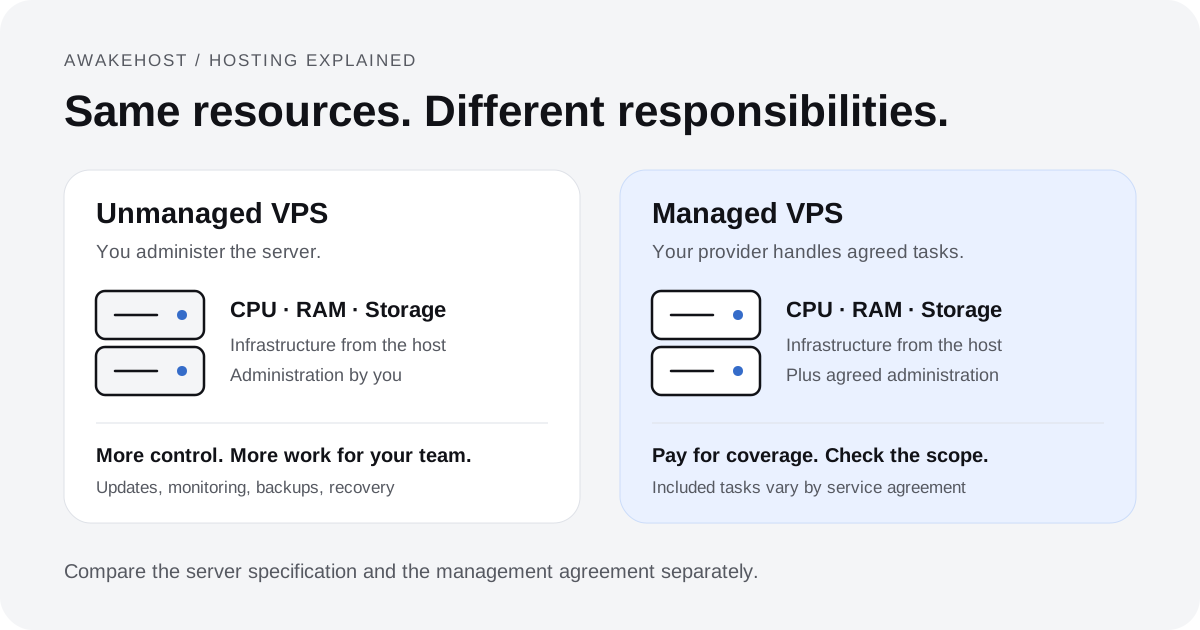
Two VPS plans can have the same CPU, RAM, and storage but different monthly prices. One costs less because you manage the server yourself. The other costs more because the provider handles agreed maintenance and support tasks.
That is the main difference between managed vs unmanaged VPS hosting. A managed plan does not necessarily give you better hardware. You pay for technical work, support coverage, and the duties your provider agrees to handle.
But there's a catch: hosting companies don't all define managed the same way.
A provider might include operating system updates and basic security configuration but charge separately for backups, malware removal, or application troubleshooting. Another might offer broader server administration while restricting which software you can install.
Before choosing a plan, establish three things:
- Who maintains the server?
- Who responds when something breaks?
- Which costs sit outside the advertised price?
Managed vs Unmanaged VPS: The Difference at a Glance
An unmanaged VPS gives you a virtual server and the administrative access needed to configure it. The hosting provider operates the underlying infrastructure, while you take care of the operating system, installed software, security settings, and ongoing maintenance.
A managed VPS includes an agreed level of server administration from the hosting provider. Depending on the plan, that could cover initial configuration, operating system updates, security hardening, monitoring, troubleshooting, and other routine tasks.
Both options can run on the same virtualization technology and offer comparable computing resources.
Here's how the responsibilities typically compare:
| Feature | Managed VPS | Unmanaged VPS |
|---|---|---|
| Physical server and network | Hosting provider | Hosting provider |
| VPS provisioning | Hosting provider | Hosting provider |
| Operating system setup | Often assisted or completed | Customer usually configures it |
| OS updates and security patches | May be included | Customer |
| Firewall configuration | Depends on management scope | Customer |
| Web server configuration | May be included | Customer |
| Server monitoring | May include guest OS and services | Customer handles application monitoring |
| Backups and restoration | Depends on plan | Customer unless separately purchased |
| Root or administrator access | Varies by provider | Usually available |
| Application bugs and custom code | Usually customer or developer | Customer or developer |
| Monthly cost | Usually higher | Usually lower |
The distinction isn't that unmanaged servers receive no technical support. A hosting provider should still deal with infrastructure issues that fall within its service obligations. However, assistance with a broken application, misconfigured firewall, or failed software update may fall outside unmanaged support.
Likewise, purchasing a managed plan doesn't automatically transfer every technical responsibility to the hosting company.
The contract and service description matter more than the label. Management is only included when your chosen plan or service agreement says so.
What Are You Actually Paying For With Managed VPS Hosting?
The monthly management fee generally pays for technical labor and ongoing operational assistance. Whether that fee represents good value depends on which tasks are included and how often your server needs attention.
1. Initial Server Setup and Configuration
An unmanaged VPS is often provisioned with a selected operating system, networking configuration, and administrative credentials. From there, preparing the environment is your responsibility.
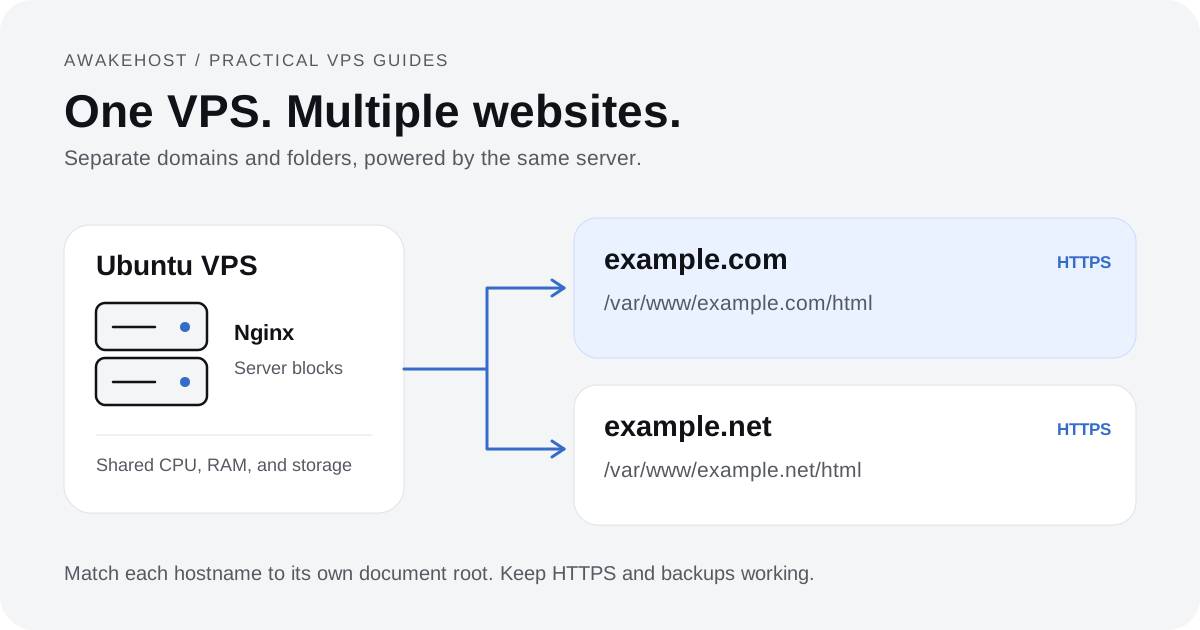
For a Linux web server, you may need to install and configure Nginx or Apache, PHP, a database server, SSL certificates, firewall rules, and other software your application requires.
A managed VPS service may handle some or all of that initial configuration.
This can be useful when migrating a business website from shared hosting. You might understand WordPress administration but have little experience configuring PHP-FPM, database access permissions, or Linux services.
Still, ask whether the initial setup includes your intended software. Support for a standard cPanel environment doesn't necessarily mean the provider will configure a custom Node.js application, Docker deployment, or database cluster.
2. Operating System Updates and Security Patching
Servers require ongoing maintenance after installation.
Linux distributions release package updates and security fixes. Web servers, database engines, control panels, and other software also require attention.
On a self-managed VPS, you decide how updates are tested, scheduled, installed, and verified.
For example, apt upgrade installs available package updates on Ubuntu, using the local package index. It is only one part of maintenance. Services may need a restart, and some updates require a reboot. Test application compatibility before major changes. Ubuntu's automatic update documentation explains how scheduled security updates and reboot settings work.
With managed VPS hosting, the provider may take responsibility for scheduled updates and certain security patches.
Ask how this process works. Does the host install updates automatically? Are maintenance windows arranged? Who handles failures after an update?
The answers are particularly important for production websites where even a short interruption affects customers.
3. Server Security and Access Management
Security is often presented as a major reason to purchase managed VPS hosting, but the actual coverage deserves closer examination.
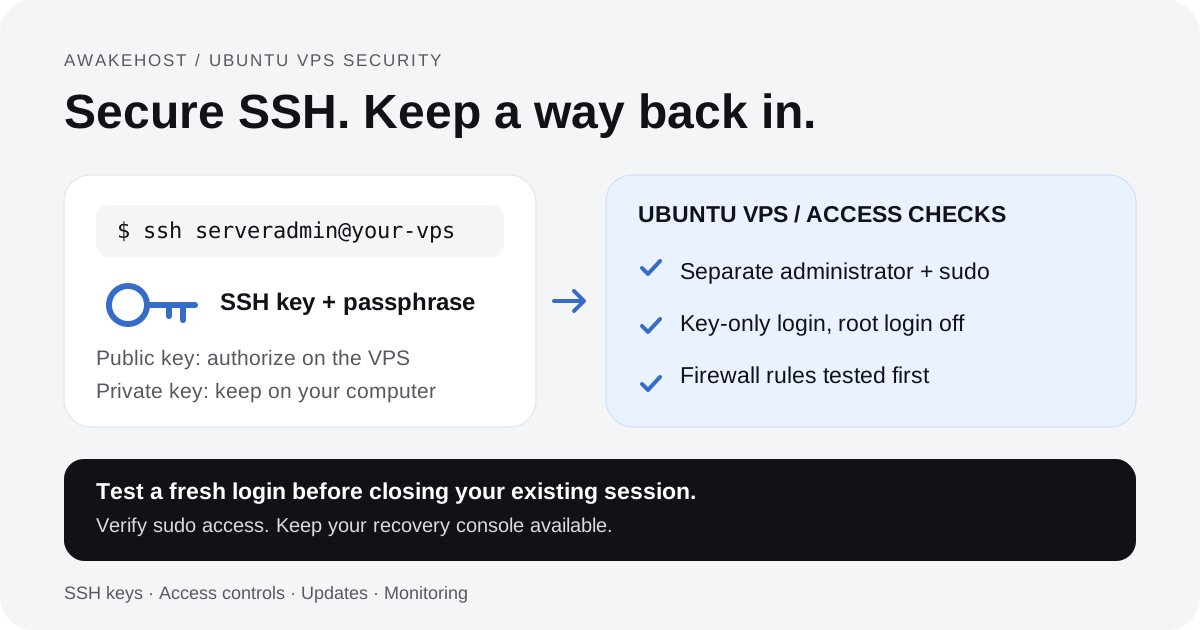
A managed plan might include firewall configuration, SSH access restrictions, brute-force protection, security updates, and periodic configuration reviews.
More extensive services may offer security monitoring or incident investigation.
However, server security and website security aren't interchangeable.
Suppose your server is properly configured, but an outdated WordPress plugin contains a vulnerability. Whether the hosting provider will investigate and clean up that application depends on its support agreement.
A secure operating system cannot compensate for every weakness in the software running on it.
Assign responsibility for each security task:
- Server access and firewall rules
- Application updates and known vulnerabilities
- Malware investigation and removal
- Recovery after an attack
Different people may handle each task.
4. Monitoring and Technical Troubleshooting
Monitoring is another area where plan descriptions can be misleading.
Infrastructure monitoring does not always cover your website. A provider may check the physical host and virtualization system without checking your database or application.
Your VPS can be powered on and reachable while Nginx is down or a database has stopped accepting connections.
A more comprehensive management service may monitor processes, disk utilization, memory consumption, and application availability.
Even then, the scope matters.
If a server alert fires at 2 AM, does someone investigate automatically, or must you submit a support ticket? Does the provider restart failed services, identify the underlying cause, or simply notify you?
For businesses that depend on continuous website availability, the difference between monitoring and actual incident response is significant.
5. Backups and Disaster Recovery
Backups deserve their own line in your hosting budget.
A managed VPS plan might include automated backups, snapshots, or restoration assistance. Others sell these services separately.
More importantly, having a backup feature doesn't guarantee that recovery will be quick or complete.
Consider a WooCommerce store receiving orders throughout the day. A snapshot taken the previous night could restore the server to a working state, but transactions recorded after that snapshot may be missing.
For a database-driven application, check how backups are created. They must capture a consistent copy of the data. Also check how often a recovery point is available. PostgreSQL's file-system backup guide explains why a live file copy can fail and when a consistent snapshot can work.
Ask where backups are stored, how long they're retained, and whether they remain accessible if the VPS itself becomes unavailable.
You should also know who performs the restoration and whether recovery assistance carries an additional charge.
A useful backup policy is one that has been tested, not merely enabled.
What Does an Unmanaged VPS Include?
Unmanaged VPS hosting is designed for customers who want to control their server environment and can handle its administration.
The provider ordinarily supplies the virtual machine, an allocated resource configuration, network connectivity, and access to server-management features.
Depending on the platform, you may have options to reinstall the operating system, restart the instance, use a remote console, or manage network settings.
Once the server is provisioned, you're generally responsible for operating the software installed inside it.
For a typical Linux VPS, you handle:
- User accounts and SSH access
- The web server, database, and application stack
- Security patches and log reviews
- Backups and test restores
- Software faults and recovery
You also decide how applications are deployed and updated.
This arrangement works particularly well for developers and system administrators who already use automated deployment tools, infrastructure configuration scripts, and monitoring systems.
It can also be appropriate for businesses employing a technical team.
What it doesn't provide is an on-call administrator to handle every server-level problem.
If your database stops running because of an incorrect configuration change, you should expect to investigate the issue yourself unless you've purchased additional support.
Does Unmanaged VPS Mean You're Completely on Your Own?
No.
An unmanaged hosting provider still operates the infrastructure used to deliver the virtual server. Problems involving the physical host, virtualization system, or provider-controlled network remain matters for the provider under its applicable service terms.
The important distinction is between an infrastructure failure and a problem inside your server.
If the physical host experiences a hardware fault, that is different from your application exhausting available memory because of an inefficient background job.
The provider can investigate its own infrastructure without accepting responsibility for your application.
Understanding that boundary prevents a lot of confusion when opening support tickets.
Managed vs Unmanaged VPS Cost: Is the Higher Price Worth It?
Managed VPS hosting usually costs more because the plan includes services beyond the virtual machine itself.
That doesn't automatically make unmanaged VPS the cheaper choice.
A lower invoice can conceal the time your team spends maintaining the server, paying a freelance administrator, or investigating problems.
Consider this hypothetical comparison:
| Monthly expense | Unmanaged VPS | Managed VPS |
|---|---|---|
| Server and hosting service | $18 | $68 |
| Server administration | 2 hours at $35/hour | Included for covered tasks |
| Total estimated cost | $88 | $68 |
Illustrative figures only: these are not market quotes or AwakeHost plan prices. Taxes, licenses, backups, and work outside the management agreement are excluded. In this example, the managed plan covers the same two hours of routine work.
In this example, the unmanaged VPS becomes more expensive when the customer needs two hours of paid administration each month.
Now change one assumption.
Suppose your business already employs an administrator who manages several servers. If the extra VPS needs little work, another $50 each month for basic management may offer limited value. Staff time still has a cost, even when it does not create a separate invoice.
The calculation depends on your actual circumstances.
The Costs That Don't Always Appear in VPS Advertisements
Before comparing monthly prices, check the complete bill.
Control panel licensing: cPanel & WHM use paid licenses. A hosting package may include the license or charge for it separately. See the official cPanel licensing page for licensing options.
Backup storage: Automated backups or additional storage may increase the monthly amount.
Operating system licensing: Windows Server licensing and other commercial software may affect pricing, depending on the provider and deployment.
Migration assistance: Moving websites, databases, email accounts, or application configurations can involve a one-time fee.
Specialized administration: Database tuning, application debugging, custom deployments, and security incident recovery may be excluded from standard management.
Support limits: Some providers restrict included administration hours, the number of requests, or the software they support.
Compare the final cost for the same workload rather than comparing two advertised entry prices.
A $20 unmanaged server and a $70 managed server aren't necessarily equivalent purchases, even when their virtual hardware specifications match.
Does Managed VPS Hosting Provide Better Performance?
Not by itself.
Server management is a service arrangement, not a CPU upgrade.
If two VPS plans use comparable hardware, virtualization settings, CPU allocations, and storage configurations, choosing the managed option doesn't automatically provide more processing power.
However, good server administration can improve how efficiently the available resources are used.
For example, configuring PHP-FPM appropriately, reviewing database queries, enabling suitable caching, and identifying excessive memory consumption may improve application performance.
Those improvements come from technical work, not from the word managed on the pricing page.
It's also important to check whether performance tuning is included in the management service. A provider that handles security updates and standard server maintenance may not offer detailed application optimization.
When comparing VPS hosting plans, assess CPU allocation, memory, storage, network limits, and management coverage separately.
How Much Control Do You Get With Each Option?
Unmanaged VPS hosting generally offers the broadest freedom to configure supported software and operating system settings.
With root access on Linux or administrator access on Windows, you can install compatible packages, configure system services, change firewall rules, and deploy custom applications.
That control is valuable when running software that doesn't fit a standard hosting environment.
Managed VPS hosting may also offer administrative access, but policies vary.
Some providers allow root access while limiting support for changes made by the customer. Others use controlled configurations to reduce the risk of conflicts with their management systems.
Imagine an application that requires a particular database version or an unusual web server configuration.
On an unmanaged VPS, you can usually build that environment yourself.
On a managed VPS, the provider may ask you to use a supported configuration or accept that certain changes fall outside its support coverage.
Neither approach is inherently better.
The question is whether you need unrestricted configuration freedom or would prefer someone else to maintain a more standardized environment.
Which VPS Hosting Option Should You Choose?
Your technical skills matter. So do the application, the cost of downtime, and the staff available to help. Choose a plan that fits all four.
Choose Managed VPS Hosting If You Run a Business-Critical Website
A company website that generates leads, accepts payments, or supports customer accounts needs consistent attention.
If nobody on your team can investigate server problems, a managed plan with clearly defined monitoring and technical support may be worth the additional expense.
For example, an online store might need routine operating system maintenance, database monitoring, backups, and assistance when server services stop responding.
Managed hosting can make sense when the provider's responsibilities match those needs.
It is still worth examining application-level support separately. A server administrator may be able to restore database connectivity without being responsible for fixing the store's checkout code.
Choose Unmanaged VPS If You Have Technical Experience
Developers, DevOps engineers, and system administrators often prefer self-managed VPS hosting because they can configure the environment around a particular application.
You might be deploying a Laravel application, managing Docker containers, running a private API, or maintaining a development environment.
If your deployment process already includes logging, monitoring, updates, access controls, and tested backups, an unmanaged server can be a sensible way to avoid paying twice for administration.
That assumes someone remains responsible when the system fails.
A server that works perfectly during deployment can still require maintenance months later.
For Agencies, the Answer Depends on Your Operating Model
Agencies managing client websites face a different calculation.
An agency with its own hosting administrator may prefer unmanaged servers because it can standardize configurations across clients and manage maintenance internally.
Another agency may prefer managed VPS services to reduce the technical workload associated with maintaining individual environments.
Neither arrangement eliminates responsibility to the client.
If an agency promises website maintenance, backups, security, or availability, it needs to make sure its hosting arrangement actually supports those promises.
The server-management model should fit the service the agency sells.
For Small Websites, You May Not Need a VPS Yet
There's another option worth considering.
If you operate a small WordPress website without unusual software requirements, shared hosting or managed WordPress hosting might be sufficient.
Moving to VPS hosting gives you more administrative control, but also introduces additional decisions about server configuration and maintenance.
A VPS is useful when the workload calls for it. It shouldn't be an automatic upgrade simply because it sounds more advanced than shared hosting.
Seven Questions to Ask Before Paying for Managed VPS
A managed hosting plan is only as useful as the work it includes.
Before purchasing, ask the provider:
- Which operating system and software updates are included? Check whether patches are installed automatically and whether maintenance requires your approval.
- What does the monitoring service actually check? Find out whether it covers infrastructure, server resources, application services, or website availability.
- Are backups included, and who performs restores? Ask about frequency, retention, storage location, and restoration costs.
- What technical support is available during an incident? Confirm response commitments, operating hours, and what happens outside normal business hours.
- Will I have root or administrator access? Understand whether custom changes affect support eligibility.
- Which applications and control panels are supported? Don't assume the provider manages every framework, database, or third-party tool.
- What costs extra? Ask specifically about migrations, control panel licenses, malware cleanup, application troubleshooting, and work outside the management agreement.
These questions help establish a clear division of responsibility before your website depends on the service.
Managed vs Unmanaged VPS: Making the Final Decision
The practical difference between managed and unmanaged VPS hosting comes down to responsibility and the price of maintaining a server.
An unmanaged VPS can offer excellent value when you already have the experience, tools, and time required to administer it. You maintain control over the operating environment and decide how maintenance is performed.
A managed VPS may be more cost-effective when your business needs dependable technical assistance but doesn't have someone available to handle routine server administration.
Neither option is automatically more secure, faster, or more reliable. Those outcomes depend on the infrastructure, configuration, maintenance practices, and support arrangements.
Before ordering, compare the server specifications and the management agreement as two separate parts of the purchase.
The most expensive mistake isn't necessarily choosing the higher-priced plan. It's assuming someone is handling an important task when that responsibility was never included.
Considering VPS hosting for your next project?
Explore AwakeHost VPS hosting to compare resources and locations. For help choosing a setup, talk to the AwakeHost team. You can also review the Terms of Service for the duties covered by your service.
Frequently Asked Questions
Is managed VPS hosting worth the extra cost?
Managed VPS hosting can be worth paying for when it replaces technical work you would otherwise need to perform or outsource. Evaluate which administrative tasks are included, the provider's support commitments, and the cost of maintaining the server yourself.
Can beginners use unmanaged VPS hosting?
Yes, but beginners should expect to learn server administration. Installing applications, configuring access controls, applying security updates, and maintaining backups require technical knowledge. A managed hosting service may be more suitable when the server runs an important production website.
Is unmanaged VPS hosting less secure?
Not necessarily. A properly configured and maintained unmanaged VPS can be secure. The main difference is who performs security-related tasks. With unmanaged hosting, that responsibility generally belongs to the customer. Managed hosting shifts certain duties to the provider according to the service agreement.
Do managed VPS plans include cPanel?
Not always. Some plans include a control panel license, while others charge separately or support different management panels. Check the software and licensing details before buying.
Can I install custom software on a managed VPS?
That depends on the hosting provider. Some managed plans allow considerable flexibility, while others restrict supported applications or configurations. Confirm compatibility and support boundaries before deploying custom software.
Are backups included with managed VPS hosting?
Backups may be included, optional, or entirely separate from the management package. Ask about backup frequency, retention, off-server storage, and restoration assistance rather than assuming they're covered.
Can I switch from unmanaged to managed VPS hosting later?
Some providers allow customers to add management services or migrate to a managed plan. Others require a new server or a supported software configuration. Ask about migration requirements, potential downtime, and fees before changing services.